Web UI
Kata's Web UI is a browser client for the same daemon and issue data used by the CLI and TUI. It manages projects, issue collections, issue detail, relationships, recurrences, and configured daemons without adding a separate application server.
Open the application
From a bound workspace, run:
This starts or discovers the local daemon and opens its Inbox. Pass any issue
reference accepted by kata show to open that issue directly:
Kata resolves the reference before opening the browser, then uses the issue and
project UIDs in the URL so the bookmark survives project renames and issue
state changes. kata daemon status prints the same browser origin. See the
CLI reference for route and launch details.
Release binaries contain the browser assets. A binary installed with
go install does not, because that path does not run the browser build; use a
release or make install when you need kata ui.
Navigate projects and collections
The sidebar combines system collections with individual projects:
- Inbox shows the designated inbox project. If none exists, the first new task asks you to choose one.
- Today, Upcoming, and Deadlines organize scheduled work.
- All Open shows active work across projects; Logbook shows completed work.
- Project entries scope the collection to one project. New project creates a daemon project without changing any workspace files.
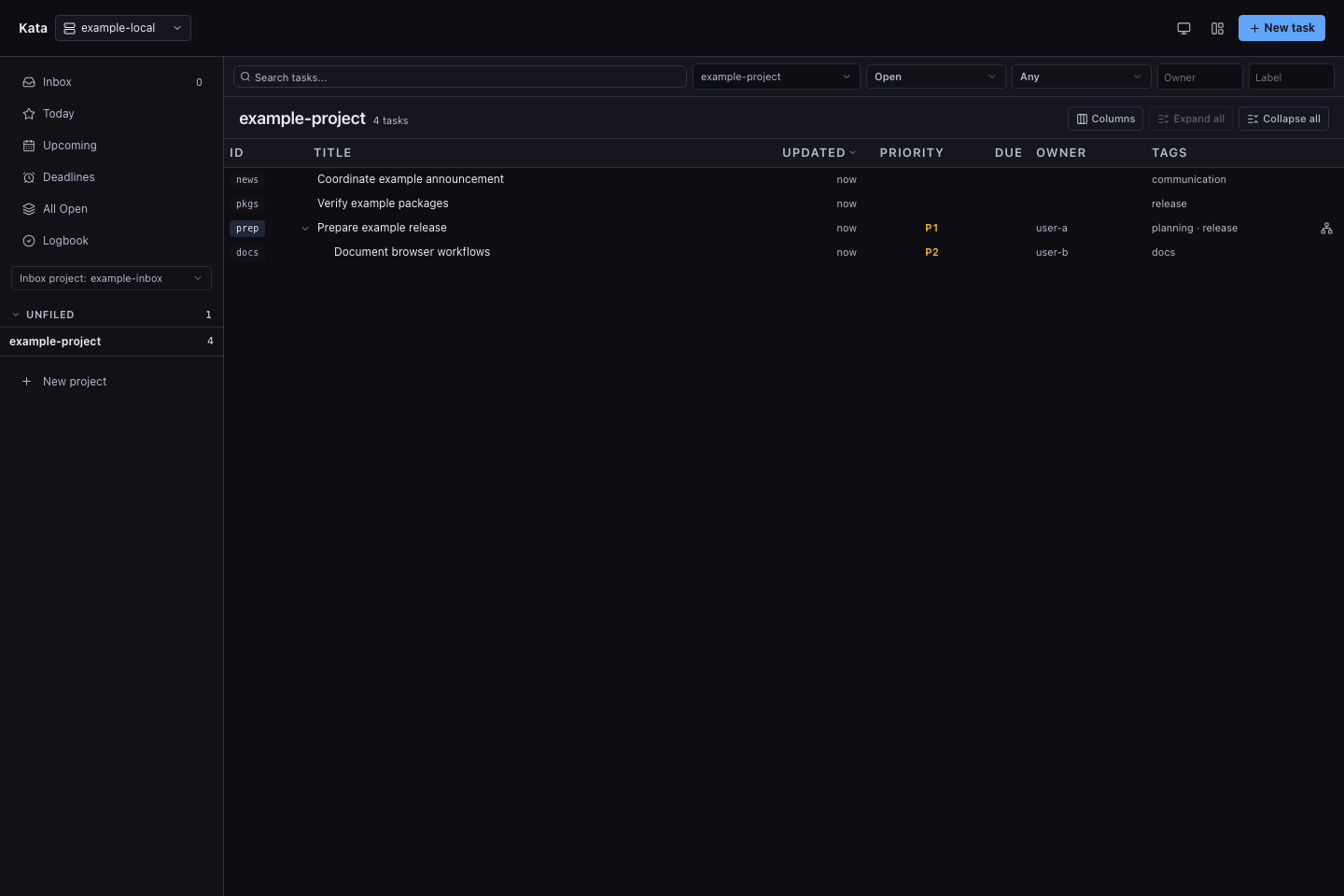
The collection toolbar filters by text, project, status, relationship, owner, and label. Parent and child issues can be expanded inline, and the column picker controls the visible fields. Collection, scope, filter, and selected-issue state stays in the URL, making the current view bookmarkable.
Manage an issue
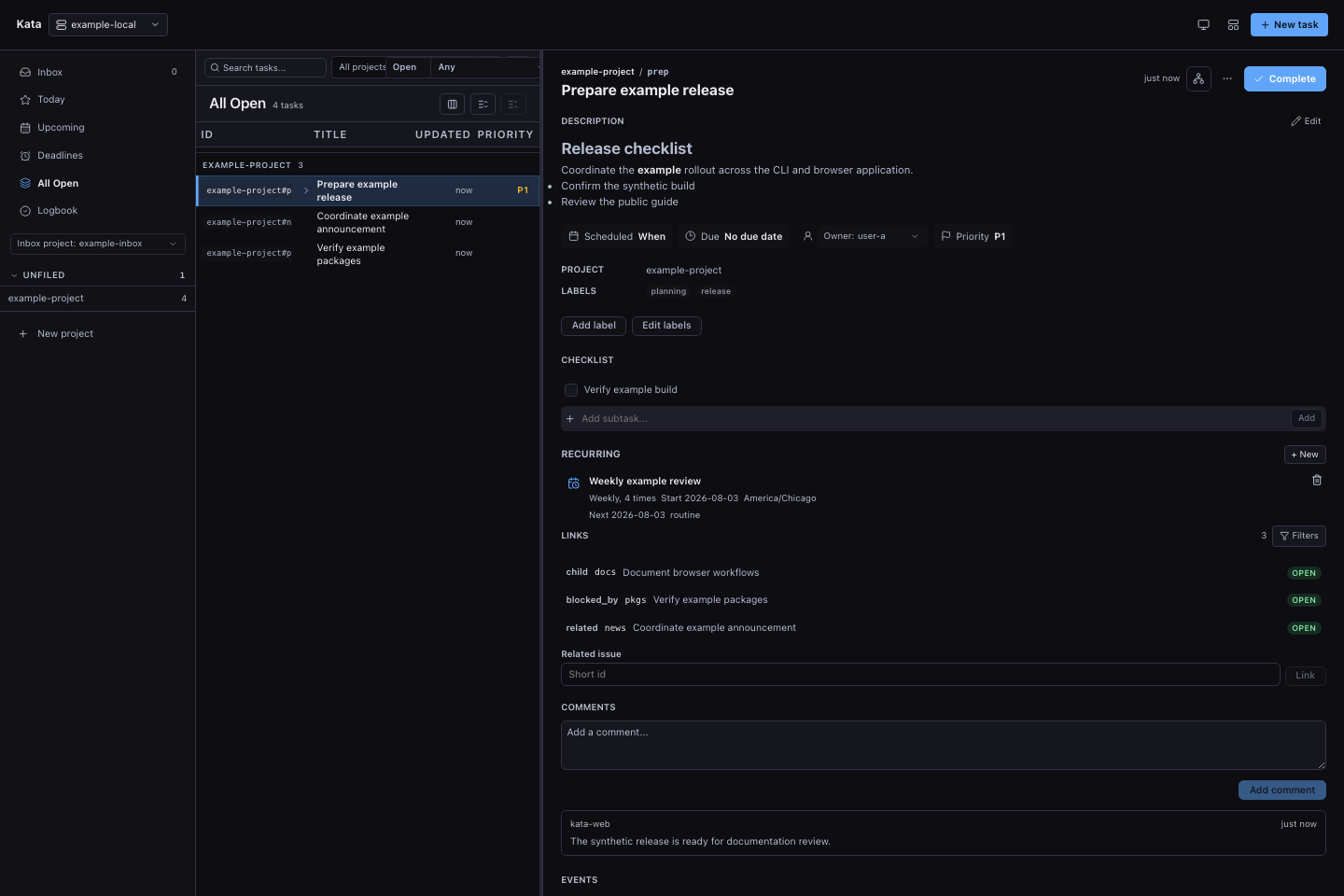
Select an issue to open its detail panel. The browser renders Markdown in the description and comments and can update the title, description, schedule, due date, owner, priority, labels, and project. It also supports:
- adding, completing, and removing checklist items;
- adding comments with issue-reference completion;
- adding related links and navigating or filtering existing parent, child, blocking, blocked-by, and related links;
- completing, reopening, moving, and deleting issues; and
- creating, editing, or deleting the issue's recurrence.
Mutations use the same daemon validation, actor attribution, revision checks, events, and hooks as the CLI. Controls are disabled while authority is stale, read-only, or another mutation is pending.
Explore relationships
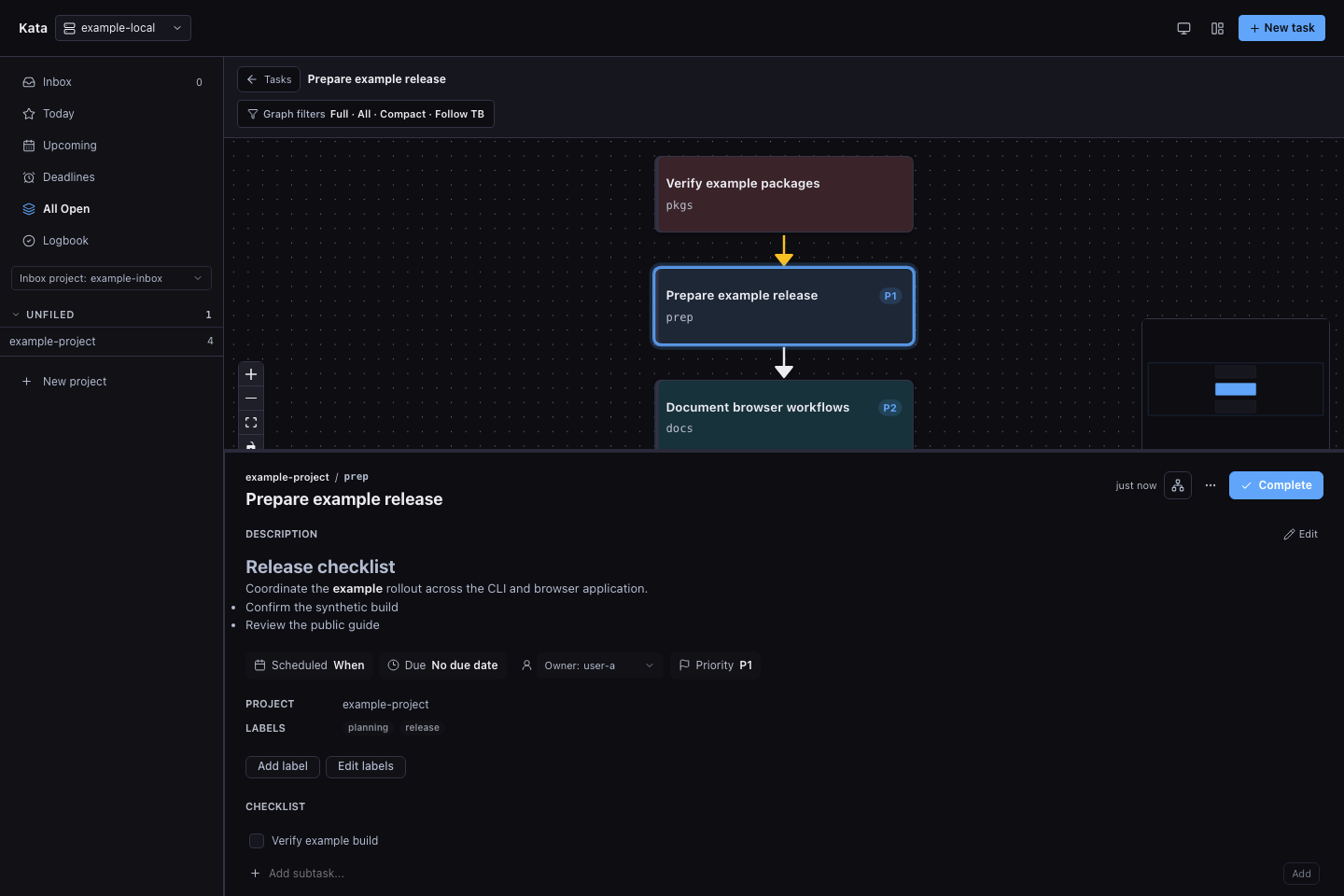
Open the graph action from an issue to see the reachable relationship graph. The selected issue stays anchored while the graph shows parents, children, blocking dependencies, and related issues. Graph filters choose the link types, direction, and traversal depth; selecting a node opens its issue detail.
Work across daemons
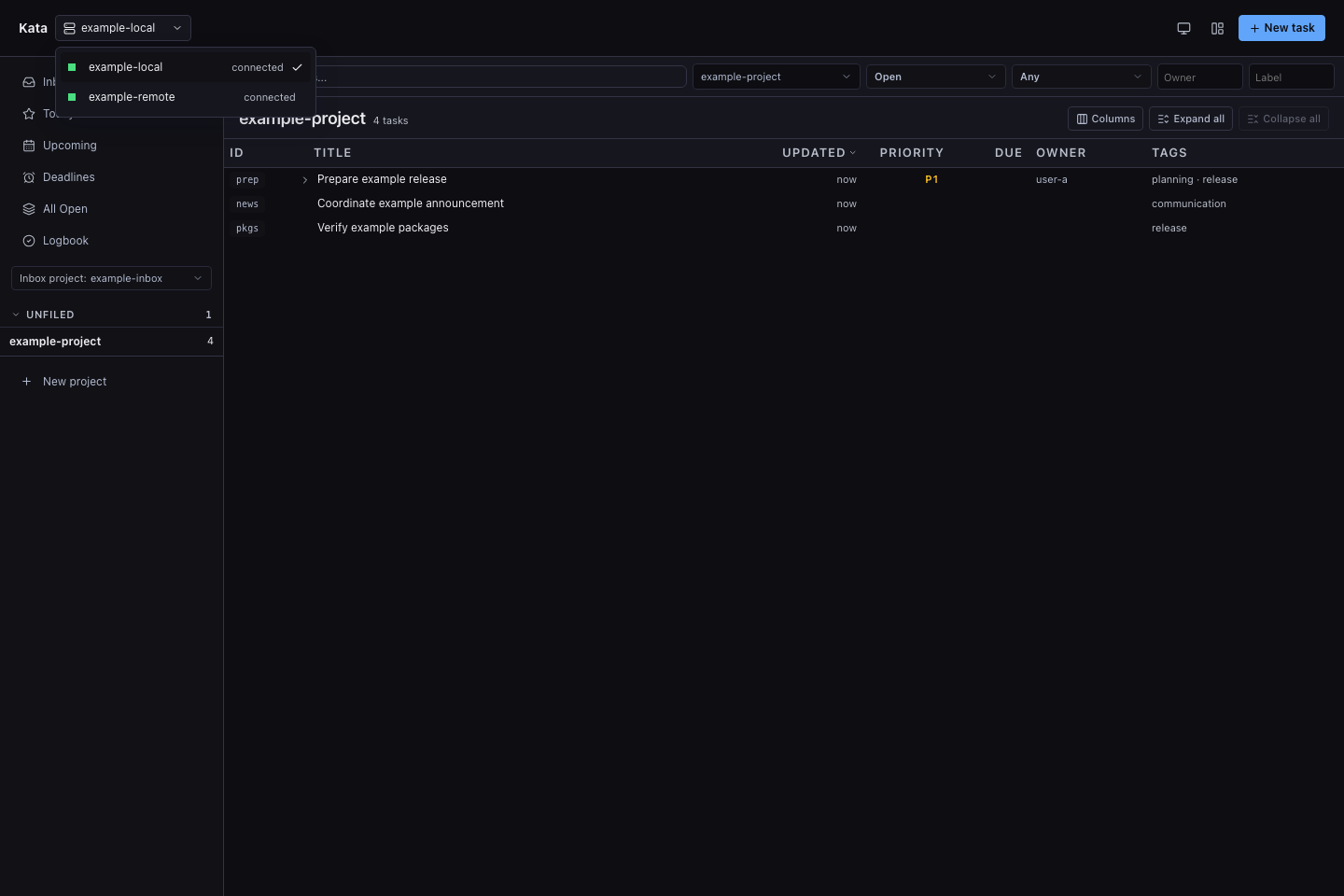
A plain kata ui opens the local browser gateway. When
<KATA_HOME>/config.toml contains [[daemon]] entries, the daemon switcher can
move among them without leaving that browser origin. Configured bearer tokens
remain server-side, and the application remembers the active route separately
for each daemon.
Use kata ui --daemon <name> when you want to open one configured target
directly instead. See Configuration
for catalog settings and Remote daemon for
network, authentication, and proxy setup.
Browser authority and deployment
The default local experience is intentionally simple: a browser connecting directly to the daemon's loopback listener receives a tab-scoped local session. The mint requires the exact listener Host and normally the exact Origin. An embedded owner-local browser may omit or send an empty Origin only on this direct-loopback mint; cross-site Fetch Metadata, forwarded requests, and non-loopback peers remain rejected. Browser requests combine the resulting tab-local credential with an HttpOnly instance cookie, and later mutations also require exact-origin CSRF validation. Restarting the daemon invalidates its browser sessions.
Non-loopback, authenticated, or proxied deployments do not receive local-web
authority automatically. They require the configured login mechanism and an
exact public origin. Plain HTTP outside loopback is limited to an explicitly
trusted private network; otherwise terminate HTTPS at the same origin.
--insecure-readonly can serve an anonymous browser but never grants mutation
authority.
The Web UI exposes ordinary issue and project workflows, not token, federation, integration, purge, or owner-filesystem administration. For the full boundary and reverse-proxy requirements, see Remote daemon and the HTTP API browser-session reference.